

Which details can I stop typing?
Extract the merchant, date, currency, tax and total. Where the receipt provides them, bring the individual purchased items into the result too.
Structured fields from your receipt
Illustrative example
Compare the extracted merchant, date, tax and total with the source. Review flags show which values need a closer look.
Fictional receipt and figures
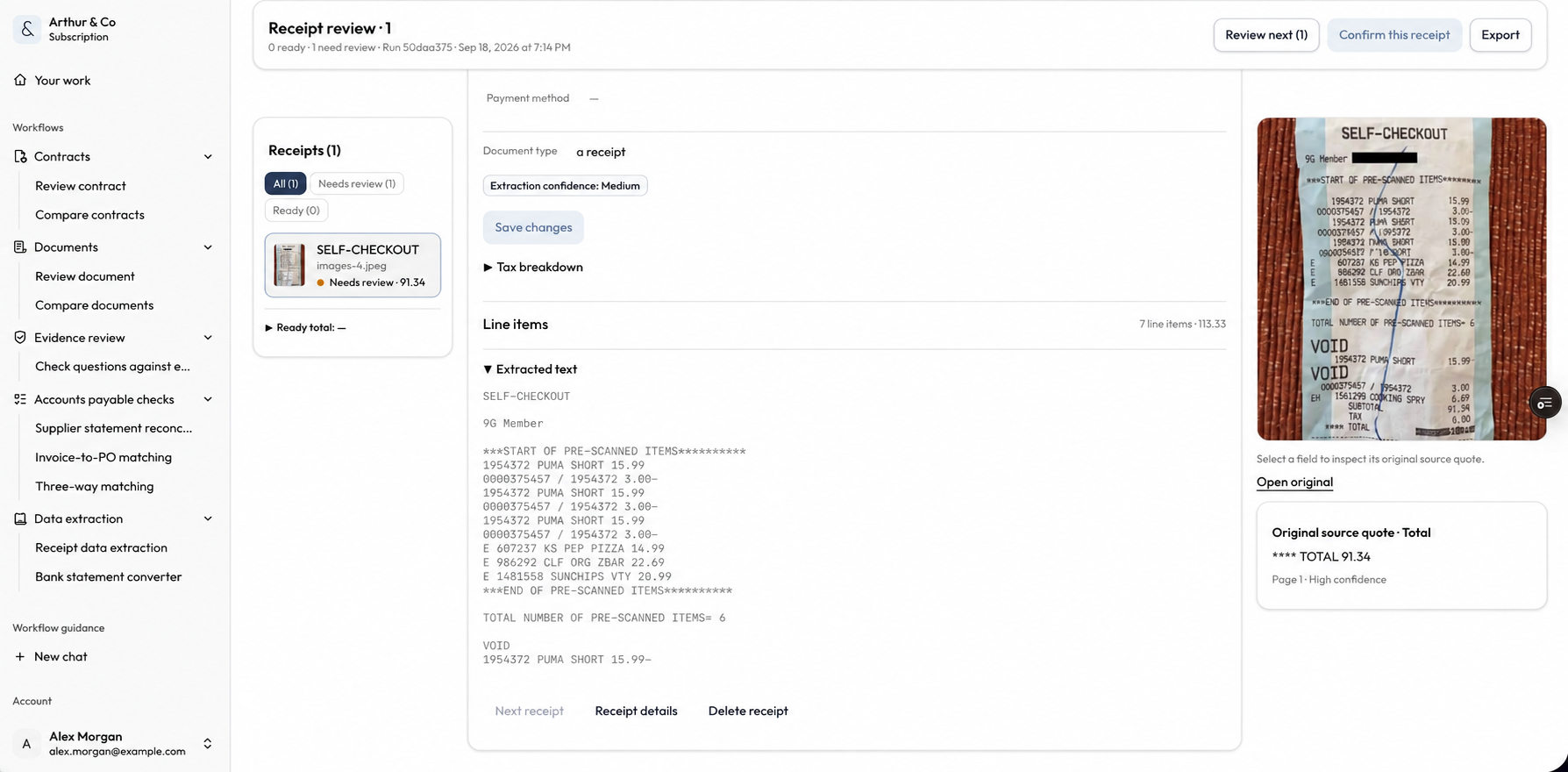
You decide whether to correct or reimburse an expense; extraction does not post it to your accounts.
Less entry. More clarity.
Move from a receipt image to structured fields without losing sight of the source.
Extract the merchant, date, currency, tax and total. Where the receipt provides them, bring the individual purchased items into the result too.
Structured fields from your receipt
Use review flags to find uncertain or inconsistent values. Keep the source beside the fields so you can check the print and save a correction.
Source context for your review
Download the reviewed data as Excel or CSV. Include line items when you need the detail, and export the saved values rather than re-entering them.
An expense record you can take with you
One receipt now. The next batch later.
Extract, correct and export your first receipt free. When the receipts keep coming, a paid plan adds batches and saved history.
One run per verified email. No account or card required.
For repeat work, batches and saved history.
Paid processing uses your plan’s credits. Each receipt file can be up to 15 MB.
Before you upload
Start with a receipt you want to turn into expense data.
Upload it, check the extracted details, and leave with an Excel or CSV file you can use.