

Automate back-office work without hiring first
Before adding a finance administration role, identify which recurring checks need human judgment and which can start with a defined workflow.
You're about to hire someone to review contracts, process invoices, reconcile supplier statements, and compare document versions. That usually means writing a job spec, screening candidates, onboarding them, and then fitting recurring back-office work into one person's weekly capacity.
Or you could move those tasks into live workflows for contract review, invoice-to-PO matching, receipt extraction, supplier statement reconciliation, and document comparison, with results available whenever your team uploads the files.
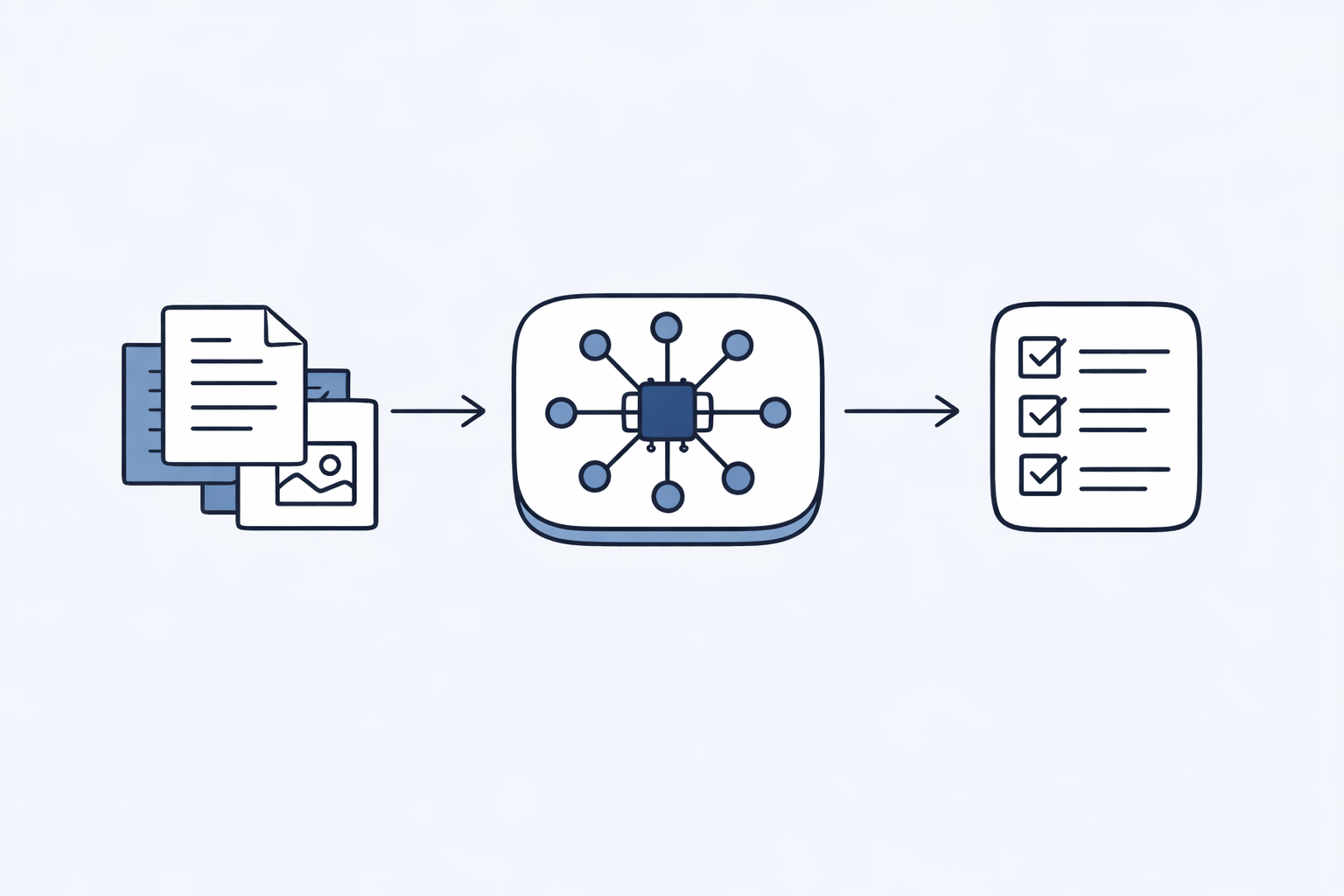
Back-office workflows can take on repeatable review, matching, extraction, and comparison work without adding headcount.
Ready to automate instead of hire? Explore Arthur & Co's back-office automation hub and see which workflows you can move out of the hiring queue.
The back-office workload that often triggers hiring
Your business is growing. Your workload is growing faster.
Finance is dealing with invoices, receipts, and supplier reconciliation. Operations is working through contract reviews and document comparisons. Teams often feel that the only way to keep up is to add another pair of hands.
The obvious answer is often to hire more people.
The job posting goes live:
- Finance admin to handle invoice and statement work
- Operations coordinator to manage document reviews and version checks
- Contract support hire to review agreements and amendments
The real cost per hire:
- Time spent defining the role and advertising it
- Interview rounds and internal coordination
- Onboarding into your documents, suppliers, and approval habits
- Training on how your team reviews contracts, invoices, and statements
- Ongoing capacity limits because one person can only process so much at once
Total first-year cost: a new hire usually means salary, employment costs, recruiting effort, and time from the rest of your team.
Timeline: hiring, onboarding, and training can take weeks before the person is fully useful on your day-to-day backlog.
And that's assuming you hire the right person, they stay, and they can absorb the workload you had in mind.
What if you could automate instead?
These workflows handle the same kinds of repeatable back-office tasks teams often hire for, without adding salary, benefits, or a new onboarding plan.
The automation alternative
Cost:
- Choose the plan that fits your expected usage
- Use the pricing page for current plan and credit details: Arthur & Co
Deployment:
- Sign up
- Upload the required files for the workflow
- Review the findings and outputs
Capacity:
- Available whenever your team needs to upload work
- Suitable for repeated contract, document, invoice, receipt, and statement tasks
- Helps standardize how the same checks are applied across batches of files
Cost comparison:
- A workflow subscription is usually a smaller commitment than hiring a full-time back-office role
- You can compare your planned hire against current plan terms on the pricing page
Hiring comparison: compare the recurring work in the role with the live workflows you can use today, then decide whether you need another person or a better process.
What can you automate?
Here's what typical back-office hires do, and which workflows can take on the repeatable parts of that work.
Finance admin role
Typical responsibilities:
- Review vendor invoices for errors
- Reconcile supplier statements
- Extract data from receipts and invoices
- Track contract pricing vs actual billing
- Analyze spending patterns
AI automation:
- Invoice-to-PO matching (live)
- Three-way matching when you also have the delivery record (live)
- Supplier statement reconciliation with a supplier statement and ledger (live)
- Receipt extraction (live)
- Contract review when pricing or terms need a first-pass check (Contract review)
Work you can shift: invoice checks, receipt data capture, statement reconciliation, and first-pass contract review.
Operations coordinator role
Typical responsibilities:
- Compare document versions to track changes
- Review contract updates and amendments
- Verify delivery signatures and quantities
- Consolidate supplier lists and vendor data
AI automation:
- Contract review and contract comparison for updated agreements and amendments (Contract review)
- Document comparison for policies, SOPs, and other version-controlled files (Document comparison)
- Document review for structured first-pass checks across uploaded files
Work you can shift: version comparisons, first-pass reviews, and repeatable checks across contracts and internal documents.
Legal assistant role
Typical responsibilities:
- Review contracts for commercial and drafting issues
- Compare vendor agreements to baseline terms
- Track contract renewals and amendments
- Generate summaries for internal stakeholders
AI automation:
- Contract analysis (Contract review)
- Contract comparison (Contract workflows)
- Risk scoring and gap detection (Contract workflows)
- Automated summaries and reports (Contract workflows)
Work you can shift: first-pass contract review, contract comparison, and structured summaries for internal review.
HR and people-ops support work
Typical responsibilities:
- Write job descriptions for open roles
- Customize JDs for different departments
- Ensure consistency across job postings
AI automation:
- Document comparison for job description versions, policy updates, and handbook changes (Document comparison)
- Document review for structured checks on internal documents before circulation
Work you can shift: comparing versions, checking drafted documents, and preparing files for team review during busy hiring periods.
Real scenario: 30-person SaaS company
Let's walk through actual back-office automation for a growing company.
A common traditional approach:
Finance support hire:
- Process incoming invoices
- Reconcile supplier statements
- Extract data from receipts
- Follow up on mismatches and missing fields
Operations support hire:
- Review contracts and amendments
- Compare updated document versions
- Track changes across supplier and internal documents
Total hiring commitment: two support roles usually mean ongoing salary cost, onboarding work, and management overhead.
The automation alternative (Arthur & Co):
A workflow-based alternative:
- Invoice-to-PO matching (live)
- Three-way matching when invoice, PO, and delivery record are available (live)
- Supplier statement reconciliation (live)
- Contract review and contract comparison
- Document comparison
- Receipt extraction (live)
Cost comparison: compare current plan pricing with the annual cost of adding finance and operations headcount for the same repeatable tasks.
Bonus: No recruiting, no onboarding, no management overhead.
Handling workload without adding headcount
People have fixed capacity. Workflows let your team submit more files as volume changes.
Human hire capacity:
- Reviews happen during that person's working hours
- Throughput depends on training, attention, and competing priorities
- Backlogs build when the same person is covering invoices, contracts, and reconciliations at once
What happens when workload doubles?
- You redistribute work internally
- You accept slower turnaround on lower-priority tasks
- Or you start planning another hire
Workflow capacity:
- Upload more files when volume rises
- Run the same structured checks across each submission
- Keep invoice, document, and contract tasks moving without assigning every item to one person
What happens when workload doubles?
- You submit more work through the relevant workflows
- You review findings and exceptions instead of processing every file manually
- You use current pricing and credit terms to decide whether to expand usage
Scaling cost comparison:
If contract volume rises sharply:
- Hiring approach: consider adding more contract admin capacity
- Workflow approach: use contract review and comparison workflows for the first-pass checks, then route flagged items to the team
Scaling decision: compare the extra workload with the cost and management effort of another hire versus expanding workflow usage.
The consistency advantage
Human performance varies. AI performance doesn't.
Human challenges
Monday morning vs Friday afternoon:
A human reviewing contracts at 4 PM on Friday after a long week will miss things they'd catch Monday at 10 AM. Error rates increase with fatigue.
New hire vs experienced hire:
A new finance or operations hire needs time to learn your documents, supplier patterns, and internal expectations. Structured workflows apply the same process each time, which makes review more repeatable across similar files.
High-volume periods:
Processing 50 invoices in a day leads to more errors than processing 10. Humans rush when overwhelmed.
Sick days and vacation:
Your finance admin is out for 2 weeks. Invoices pile up. When they return, they're playing catchup and more prone to errors.
AI consistency
Arthur & Co performance:
- Contract #1 analyzed with same criteria as contract #100
- Invoice #1 checked with same rigor as invoice #500
- First document comparison as thorough as the hundredth
- 3 AM upload processed with same quality as 3 PM upload
Result: Standardized outputs, predictable quality, zero variance based on time/volume/workload.
The deployment advantage
Hiring takes coordination. Using an existing workflow starts with the files you already have.
Hiring timeline for a back-office role:
Stage 1: Define the role, post it, and review applicants
Stage 2: Interview candidates and align internally
Stage 3: Onboard the new hire into your documents and processes
Stage 4: Train them on how your team reviews contracts, invoices, and statements
Time to value: there is usually a gap between identifying the workload and having a new person confidently handling it.
Arthur & Co timeline:
Step 1: Sign up and select a plan
Step 2: Upload files to the relevant workflow
Step 3: Review the findings and outputs
Time to value: 15 minutes
Opportunity cost of 3-month delay:
If you have a growing pile of contracts, invoices, receipts, or supplier statements, manual work continues while a hiring process is still in motion.
With these workflows, you can start processing that backlog using your current files instead of waiting for a new team member to be hired and trained.
Where workflows help most
These workflows are most useful for repeatable review, matching, extraction, and comparison tasks that follow a clear document-based process.
Keep people focused on:
Strategic decision-making:
Your CFO decides which vendors to negotiate with based on spend analysis. AI provides the analysis, humans make the strategic call.
Customer-facing roles:
Sales, customer success, account management - these require human relationship-building and nuanced judgment.
Creative and strategic work:
Marketing strategy, product design, business development - AI assists, humans lead.
Complex negotiations:
Vendor contract negotiations benefit from AI-generated insights (via Contract workflows), but humans handle the relationship and deal-making.
Compliance and legal sign-off:
Contract workflows surface source-based findings for review, while your internal approvers or counsel decide what to accept, escalate, or sign.
Automate with AI for:
Data processing:
Invoice extraction, receipt processing, document parsing - pure data transformation with clear rules.
Error detection:
Catching duplicate invoices, pricing mismatches, missing clauses - pattern recognition AI excels at.
Document analysis:
Reviewing contracts for risk, comparing document versions, reconciling statements - structured analysis with consistent criteria.
Bulk generation:
Creating job descriptions, generating reports, formatting outputs - high-volume content creation.
Comparison and reconciliation:
Matching invoices to POs, reconciling supplier statements, tracking contract changes - tedious but rule-based work.
Rule: if the work is repetitive, document-based, and review-heavy, start by mapping it to a workflow. If the work depends on negotiation, ownership, or final business judgment, keep a person in the lead.
The workflow coverage advantage
One hire usually covers one role at a time. A single subscription can support multiple back-office workflows across contracts, documents, invoices, receipts, and supplier statements.
Traditional hiring:
Need support across finance, operations, and contract work?
- Finance support for invoice and statement tasks
- Operations support for document checks
- Contract support for agreement review
Total: that usually means multiple hiring processes, multiple onboarding plans, and ongoing management across several roles.
Arthur & Co approach:
A subscription can give you access to workflows for:
- Finance work such as invoice-to-PO matching, three-way matching, supplier statement reconciliation, receipt extraction, and bank statement conversion
- Operations work such as document review and document comparison
- Contract work such as contract review and contract comparison
All accessible from one platform with shared credits.
Practical advantage: one setup can support several recurring document workflows instead of splitting each task across separate hires.
As the workflow catalogue changes, you can use the live workflows that match your process without redesigning your team around every recurring task.
Getting started before your next hire
Before you post that job listing, try automation.
Step 1: Identify what you'd hire for
- Contract reviews?
- Invoice matching?
- Document comparisons?
- Supplier reconciliation?
- Receipt extraction?
Step 2: Match to workflows
- Contracts → Contract review
- Document comparison → Document comparison
- Invoice and finance work → invoice-to-PO matching, three-way matching, supplier statement reconciliation, receipt extraction, bank statement conversion
Step 3: Test with real workload
Sign up for Arthur & Co and upload actual files:
- Contracts to the relevant contract workflow
- Document versions to the comparison workflow
- Invoices and POs to the matching workflow
- Supplier statements and ledgers to reconciliation
- See how the outputs fit your team's review process
Step 4: Calculate the trade-off
- Planned hire and scope: $__________
- Current plan cost: see Arthur & Co
- Tasks you can move into workflows: ____________________
If the repeatable parts of the role are covered well by the workflows, you may be able to narrow the job scope or delay the hire.
Arthur & Co platform overview
This is a workflow-based platform for automating repeatable back-office document tasks without adding headcount first.
Live workflows cover contracts, documents, questions and evidence review, supplier statement reconciliation, invoice-to-PO matching, three-way matching, receipt extraction, and bank statement conversion. Upload files, review the findings, and keep your team focused on exceptions.
Whether you're trying to avoid an early operations hire or reduce repetitive work across a larger team, the platform gives you a practical way to handle recurring document tasks before adding headcount.
Try it: No credit card, simple subscription
Ready to kill that job posting and automate instead?
Explore Arthur & Co's back-office automation hub and see which back-office workflows you can replace with automation.
See the pricing page for current plans, credits, and workflow access: Arthur & Co
Conclusion
Back-office hiring adds salary cost, recruiting effort, onboarding time, and management overhead. It also takes time before the new person is fully productive on your contracts, invoices, statements, and internal documents.
These workflows cover many of the same repeatable tasks through contract review, document comparison, invoice matching, receipt extraction, supplier reconciliation, and related document checks.
Contract reviews, invoice processing, document comparison, supplier reconciliation - these aren't strategic roles requiring human judgment. They're repetitive, rule-based tasks that AI handles better, faster, and cheaper.
Move repetitive back-office work into workflows before you add headcount.